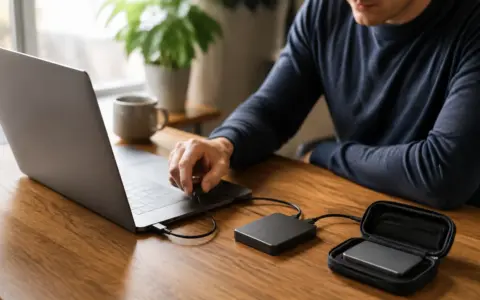



Account recovery information is easy to ignore until a password stops working, a phone disappears, or a trusted device fails. At that moment, a recovery code, backup email address, account identifier, or support record can be the difference between a calm reset and a permanent lockout. The safest system is not the most secret or complicated one. It is a small, understandable system that protects sensitive details while remaining available when your normal sign-in method is not.
Good storage starts by recognizing a tension: anything convenient enough to recover an account may also help someone else take it over. Your goal is therefore controlled redundancy. Keep more than one usable recovery path, separate the copies from the account or device they protect, and make every copy understandable to your future self. Avoid putting every credential, code, and backup in one unprotected document.
Know what counts as recovery information
Recovery information includes more than a list of passwords. It can include one-time recovery codes, a backup email address, a recovery phone number, a passkey stored on another device, answers required by a legacy account, an account username, a customer or membership number, and notes about the official recovery process. A purchase receipt or support case number may also help establish ownership, although no single document guarantees that a provider will restore access.
Do not collect sensitive personal facts simply because they might someday be useful. Record only what a service actually uses and what you need to recognize the account. Extra identity documents, full payment details, or answers to questions nobody asks increase the harm if the record is exposed.
Map the recovery chain before storing it
Make a short inventory of your most important accounts: primary email, password manager, phone service, financial accounts, cloud storage, and any work or household services you administer. For each, note the normal sign-in method, available backup methods, and where each method currently lives. This reveals circular dependencies. For example, a recovery file stored only in cloud storage is not useful if that cloud account is the one you cannot enter.
| Recovery item | Sensible primary location | Independent backup | Main risk to check |
|---|---|---|---|
| One-time recovery codes | Protected password manager entry or secured digital vault | Printed copy in a controlled physical location | Copy stored only inside the account it unlocks |
| Backup email details | Account record with the address and purpose | Separate note identifying who controls it | Mailbox is abandoned or protected by the same failed method |
| Recovery phone number | Account security settings | Inventory noting the current number | Number changes or is no longer controlled |
| Device-based sign-in method | Primary secured device | Another supported device or provider-approved fallback | All enrolled devices travel or fail together |
| Support and ownership records | Protected records folder | Backup covered by the normal file routine | Unnecessary sensitive data retained indefinitely |
Draw the chain in plain language if it is complicated: “Password manager recovery depends on printed emergency information; primary email recovery depends on the backup mailbox and phone.” You are looking for a path that still works after one realistic failure, such as a lost phone or an unavailable email account. You do not need to plan for every imaginable disaster.
Choose two storage forms with different failure modes
A strong arrangement often combines a protected digital copy with a secured physical copy. The digital copy is searchable and easy to update. The physical copy does not depend on electricity, a particular device, or access to the same cloud account. Their weaknesses differ, so one can remain useful when the other is unavailable.
For digital storage, a reputable password manager or encrypted vault may be appropriate when configured with a strong sign-in method and a recovery plan of its own. Keep recovery data in clearly named entries, but avoid an undifferentiated master note containing everything. Separate entries make it easier to update one account, limit accidental exposure while screen sharing, and understand which item grants which capability. If you are still choosing a setup, the guide to starting with a password manager without getting locked out explains how to preserve access during the transition.
For a physical copy, use durable paper in a sealed envelope or other controlled location appropriate to your household. A locked file box or safe may be reasonable, provided the people who must recover the accounts can access it when necessary. Do not disguise the material so thoroughly that nobody can identify it in an emergency. A clear description of purpose can coexist with protection from casual viewing.
Keep the backup independent
Independence matters more than the number of copies. Three copies saved on the same phone are one practical copy. A screenshot in the photo library may synchronize to the same account being recovered, appear in search or backups, and be easy to share accidentally. Move recovery material out of general-purpose photos and downloads after confirming the intended protected copy works.
Likewise, do not email recovery codes to the email account they protect or keep the only password-manager emergency information inside that manager. Place an offline or separately protected copy where it survives loss of the primary device. If you use cloud storage, understand whether the file is available offline, whether deletion synchronizes, and what protects the cloud account itself.
Label records so they remain usable
A recovery record should state the service, the relevant account identifier, what the stored item is, when it was created or last verified, and any handling instruction. Do not rely on memory or filenames such as “codes-new-final.” A useful label might distinguish unused one-time codes from an emergency instruction sheet without repeating a password in the title.
If codes can be used only once, leave room to mark a code as consumed. Never test a recovery code merely to see whether it works unless the service explicitly provides a safe verification method; testing may invalidate it or alter account security. Instead, verify that the record is legible, complete, and reachable, and compare its origin with the current security settings.
When saving a downloaded recovery document, rename it deliberately and move it from Downloads. The principles in the file-naming system for personal documents help make the file recognizable without placing secrets in the filename. Filenames may appear in recent-file lists, search indexes, sync logs, or backups, so keep them descriptive but not revealing.
Protect the record without locking yourself out
Use the protection already provided by your device, account, password manager, or storage system when it is appropriate and well understood. Device encryption, a strong device sign-in, limited sharing, and a current backup form a more dependable foundation than an obscure folder name. Follow current official documentation for your exact device or service before enabling encryption, exporting recovery material, changing sign-in methods, or removing a trusted device.
Limit access intentionally. Shared family storage can be suitable for jointly managed household accounts, but personal recovery codes should not automatically be visible to every household member. On work or school accounts, follow the organization’s approved recovery and records process. Do not copy employer-controlled credentials into a personal system.
Set up two-factor recovery as one system
When enabling a second factor, finish the recovery work during the same session. Save the newly issued codes in the planned locations, verify backup contact details, and confirm that an approved fallback exists before signing out or removing an old method. The step-by-step guide to setting up two-factor authentication and saving recovery codes covers that sequence.
Do not remove a working phone, authenticator, security key, or trusted device until the replacement is enrolled and verified according to the provider’s current instructions. Keep the old method available during a controlled transition when the service permits it. Afterward, remove obsolete access from the official security settings rather than simply throwing away the device or deleting an app.
Plan for a trusted person’s role
Some people need a spouse, relative, executor, or other trusted person to handle essential accounts during illness or incapacity. Decide which accounts genuinely require continuity and what authority that person should have. Sharing every password in advance may grant more access than intended and can conflict with organizational rules or account terms.
Where a service offers an official legacy, emergency-access, delegate, or trusted-contact feature, review its current documentation and decide whether it meets your needs. Otherwise, leave clear instructions about where protected recovery material exists and when it should be used. For financial, estate, employment, or legal questions, obtain qualified advice appropriate to your situation rather than assuming possession of a code establishes authority.
If you assist a relative with setup, let the account owner retain control and understanding. The guide to helping family members with tech safely offers a useful boundary: support the process without quietly becoming the only person who can operate the account.
Review changes without destroying the fallback too early
Review important recovery records several times a year and after changing a phone number, primary email, device, password manager, or household arrangement. Confirm that contact information is current, printed material is readable, and designated people still know where instructions are. Check the actual account security page because your private inventory may be outdated.
When a service replaces a code set, mark the older set as superseded, verify the new set in every intended location, and then dispose of obsolete copies appropriately. For paper, use a secure disposal method suitable for sensitive records. For digital files, remove redundant copies through the normal recoverable process, allow synchronization to complete, and review backups according to their retention design. Do not purge every old copy before confirming that the replacement is complete and accessible.
If you discover an exposed code or an unexplained security change, treat it as a possible account incident. Use the service’s official security page from a known route, change or regenerate the affected recovery method, review active sessions and contact details, and preserve relevant notices. Do not follow sign-in links from an unexpected message claiming that urgent recovery is required.
Frequently asked questions
Is it safe to print recovery codes?
Printing can provide a valuable offline copy if the paper is stored in a controlled location and not left near the computer, printer, or shared workspace. Retrieve the printout promptly, check that it is complete, and avoid leaving extra pages or printer scans behind. Physical security and household access determine whether the choice is appropriate.
Should I take a screenshot of recovery codes?
A screenshot is convenient but often lands in a broadly synced, searchable photo library. It may also appear on other devices or in automatic backups. Prefer a deliberate protected entry or physical copy. If a screenshot was used temporarily, verify the intended storage first, then remove the temporary copy through the device’s normal recoverable workflow.
How many copies should I keep?
Keep enough independent copies to survive a likely failure without creating an unmanageable trail. For many people, one protected digital copy and one secured physical copy provide useful diversity. Higher-risk circumstances may justify a different arrangement, but every additional copy needs controlled access, updates, and eventual disposal.
Can recovery information stay in my password manager?
Yes, for accounts other than the manager itself, if you understand and trust the setup. The manager’s own emergency information needs an independent path, such as a protected physical record or another provider-supported recovery method. Otherwise, the information you need may be trapped behind the lock it is meant to open.
What should I do when I use a one-time recovery code?
Mark that code as used in every maintained copy so you do not depend on it later. When few unused codes remain, follow the service’s official process to generate a new set. Store and verify the replacement before securely disposing of the superseded set.
Final recovery-information checklist
- List the important accounts and the recovery methods currently attached to each.
- Identify circular dependencies and any account with only one practical recovery path.
- Store a protected digital copy and an independent offline or separately protected copy where appropriate.
- Label each record with its account, purpose, and last verification date without exposing secrets in filenames.
- Confirm replacement methods before removing an old phone, device, email address, or code set.
- Tell an appropriate trusted person where emergency instructions are, without granting unnecessary routine access.
- Use official device and service documentation before changing security controls.
- Review the system after important changes and dispose of obsolete material only after the replacement is verified.
Safe recovery storage is a balance between secrecy and availability. A modest system with independent copies, clear labels, limited access, and regular review is stronger than a complicated collection nobody can navigate. Build it while your accounts are accessible, test the surrounding process without consuming codes, and make each future change in a recoverable order.